 Ahenora
The household runs on someone's memory. Let it run on something calmer.
Ahenora holds tasks, the family calendar, kids' chores, meals and school paperwork in one shared, private place — so family life never depends on one person remembering all of it. For solo parents, co-parents across two homes, and every busy household in between.
Free to start · No ads · Your family's data is never sold
Everything a household actually needs
Not another to-do list — the specific things that quietly fall through the cracks in a busy family.
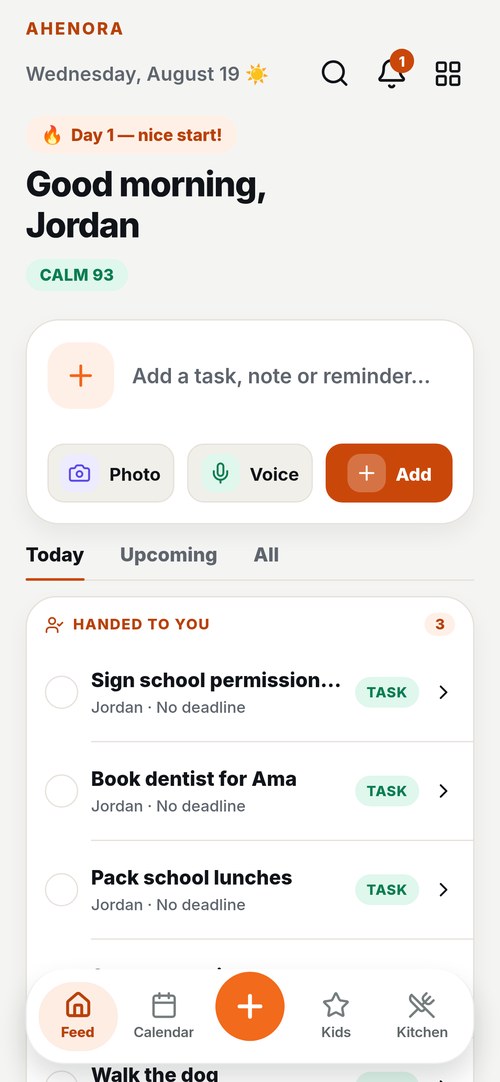
Tasks that come back
Sign slips, RSVPs, bin night. Assign them, set reminders, and let recurring routines return on their own.
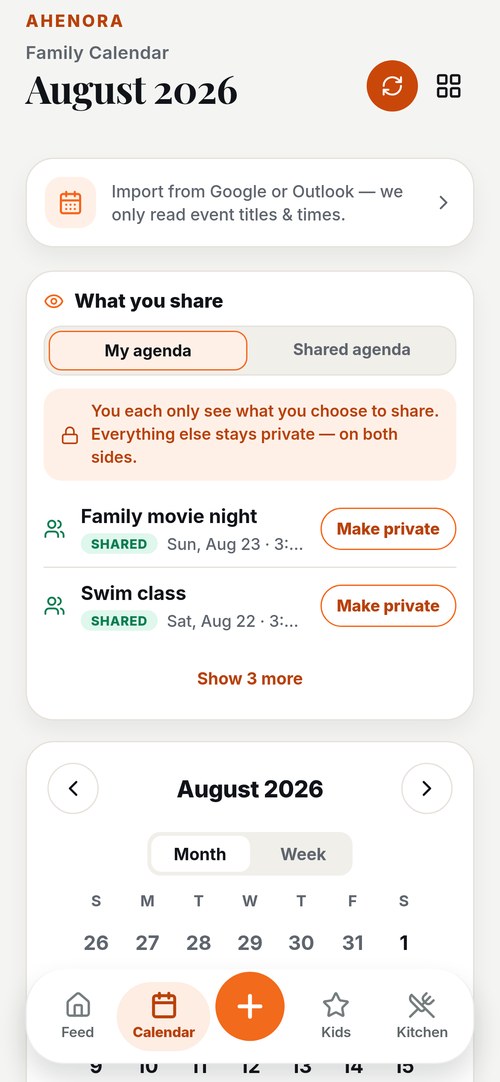
One shared calendar
Import Google or Outlook so events become actionable cards. Everyone sees the same week.
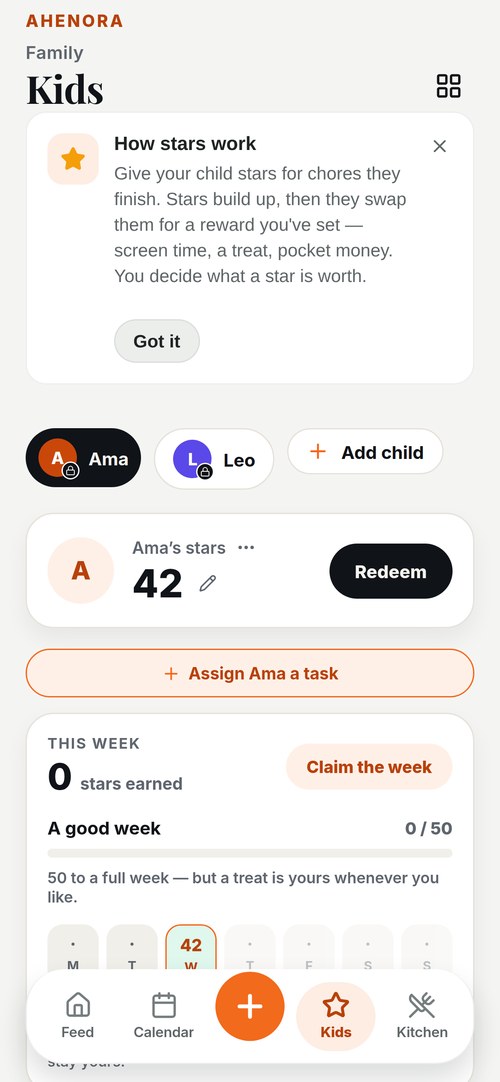
Kids, chores and stars
Chores with stars, rewards and pocket money — so routines stick without the daily negotiation.
Meals, shopping and what it cost
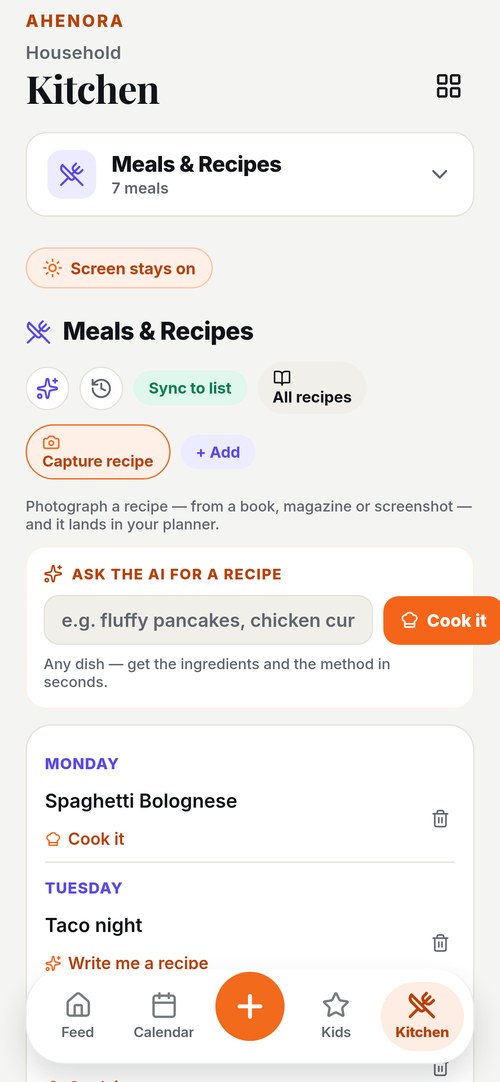
Plan the week's dinners — or ask the AI for a recipe — and turn it all into one shared shopping list. Log what each shop cost and see where the money actually goes, by month and by shop.
Scan the paperwork
Photograph a school letter or appointment card and turn it straight into a task or a saved document.
A vault for documents
Passports, insurance, medical records — organised by category, private to your household.
Family messages NEW
Talk to your co-parent, your teen or the childminder without leaving the app — and write notes your younger children read on the family phone. Every private conversation includes a parent, by design.
Teen accounts NEW
Give your 13–17-year-old their own private space — just their tasks and shared events, nothing else of the family's. They earn stars you approve.
One home or two, it all stays in step
Whether you're carrying it solo, sharing it with a partner, or co-parenting across two homes, Ahenora gives everyone the same private source of truth — so nobody has to chase anybody to stay coordinated.
Simple plans
Every parent is always free, and so is everything that keeps a family coordinated — the calendar, tasks, chores and the shared lists. The paid plans add the extras below: Duo for two people, Family and Household for more children.
Free
- Up to two adults and two children
- Tasks, calendar and shared lists
- Kids' chores, stars and rewards
- View any document you've saved
- All reminders and nudges
Duo
Saves €3.89 a year — 16% off monthly
- For couples and two-person homes:
- Meal planner, saved plans and recipe AI
- Unlimited scans
- The Sunday brief and weekly report
- Gift pot and a larger document vault
Family
Saves €33.89 a year — 40% off monthly
- Everything in Free, plus:
- Up to 5 children
- Meal planner, saved plans and recipe AI
- Pocket money and the weekly report
- Carpool and a larger document vault
Household
Saves €29.89 a year — 17% off monthly
- Everything in Family, plus:
- Up to 10 children and 20 people
- Helper and nanny accounts
- 10 GB document vault
Prices in euros. Subscribe inside the app — through the App Store on iPhone, or Google Play on Android — or by card in your browser. Cancel any time, wherever you subscribed.
Questions people ask
Is Ahenora free?
Yes. The free plan is built for a parent on their own or two parents together, with up to two children — the shared calendar, tasks, chores and stars, the shopping list, family chat and a 25 MB document vault, plus ten camera scans a month.
Family (€6.99 a month) raises that to five children with unlimited scans and adds meal planning, pocket money and the carpool schedule. Nothing expires and there is no trial to forget to cancel.
Does it work for co-parents in two homes?
That is what it was built for. Set an alternating-week custody schedule and the calendar shades whose week it is, so both parents read the same month the same way.
Hand-off notes carry the things that do not fit in a calendar entry — who has the football kit, that one of them is getting over a cold — and either parent can pick up a task the other started.
Can my co-parent see everything I add?
No. Anything you add is shared with the household by default, because a task nobody else can see helps nobody — but you can make any item private in one tap, and a private item is invisible to everyone else including the other parent.
There is a screen that shows plainly what you share with them and what they share with you, so it is never a guess.
Do my children need their own phone or account?
No. Kid mode runs on your phone: hand it over and it shows only that child’s chores and stars, with a PIN to get back out. Nothing else in the household is reachable from it.
Teenagers between 13 and 17 can have their own sign-in if you want them to, with their own tasks and a private thread to you. That is your choice to switch on, not the default.
I am a single parent. Is this still for me?
Yes. Nothing requires a second adult. The calendar, the chores, the shopping list and the document vault all work for one parent, and the app does not nag you to invite somebody.
Grandparents, a childminder or a nanny can be added as helpers on the Household plan, with access to the schedule, the tasks and the family chat, but not to your documents or your money.
Does it work without a signal?
The lists a family actually needs in hand — tasks, the shopping list, meals and who is in the household — are kept on the phone, so a supermarket aisle or a basement car park shows the last known copy instead of an error.
Ticking something off with no signal is remembered and sent when the connection comes back.
Where is our data, and who can read it?
Ahenora is run from France and answers to the CNIL, the French data protection authority. Nobody at Ahenora reads your household’s content, it is not sold, and it is not used to train anything. Our providers may process data outside your country under the safeguards set out in the privacy policy.
A photo you scan is read to pull out the date and the details, and it is kept with the task or the document it created so you can check it later. Delete that item and the image goes with it.
Can I get our data out, or delete it?
Yes, and without asking anyone. Deleting your account removes you and what you own, at once, from Settings in the app — and if nobody else in the household has an account, the whole household goes with it: tasks, calendar, chat, documents, everything. You can also do it from this page if you no longer have the app installed.
Start with tonight
Add one thing you'd otherwise have to remember. That's the whole first step.
Get it on Google PlayOn iPhone and Android — or use it in your browser at ahenora.com/app, with notifications and card payment.